Settings and system
One AI key is enough to start. Every store, hosting and AI connection is a step in the setup guide with its own instructions, ticked as you go. Bring the Claude or ChatGPT plan you already pay for, and one switch keeps every routing decision on your computer. Costs, logs and updates are here too.
A recreated panel in the style of the app: how a turn in this module goes, built only from what the module really does.
4 things you can do with it.
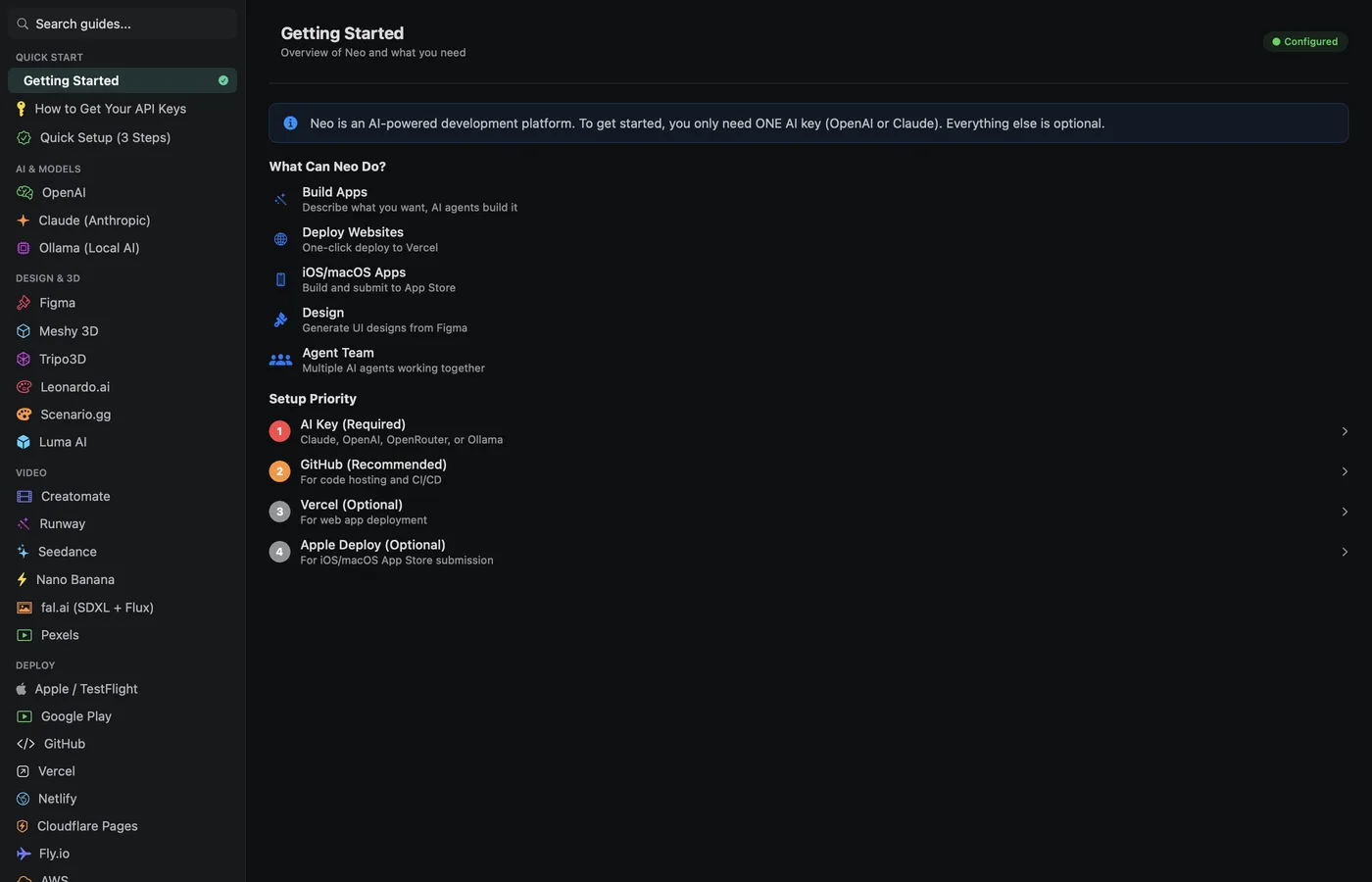
A setup guide
Each connection is a step with its own instructions, ticked as you go.
Your own AI plans
Bring the Claude or ChatGPT plan you already pay for, so heavy use does not cost twice.
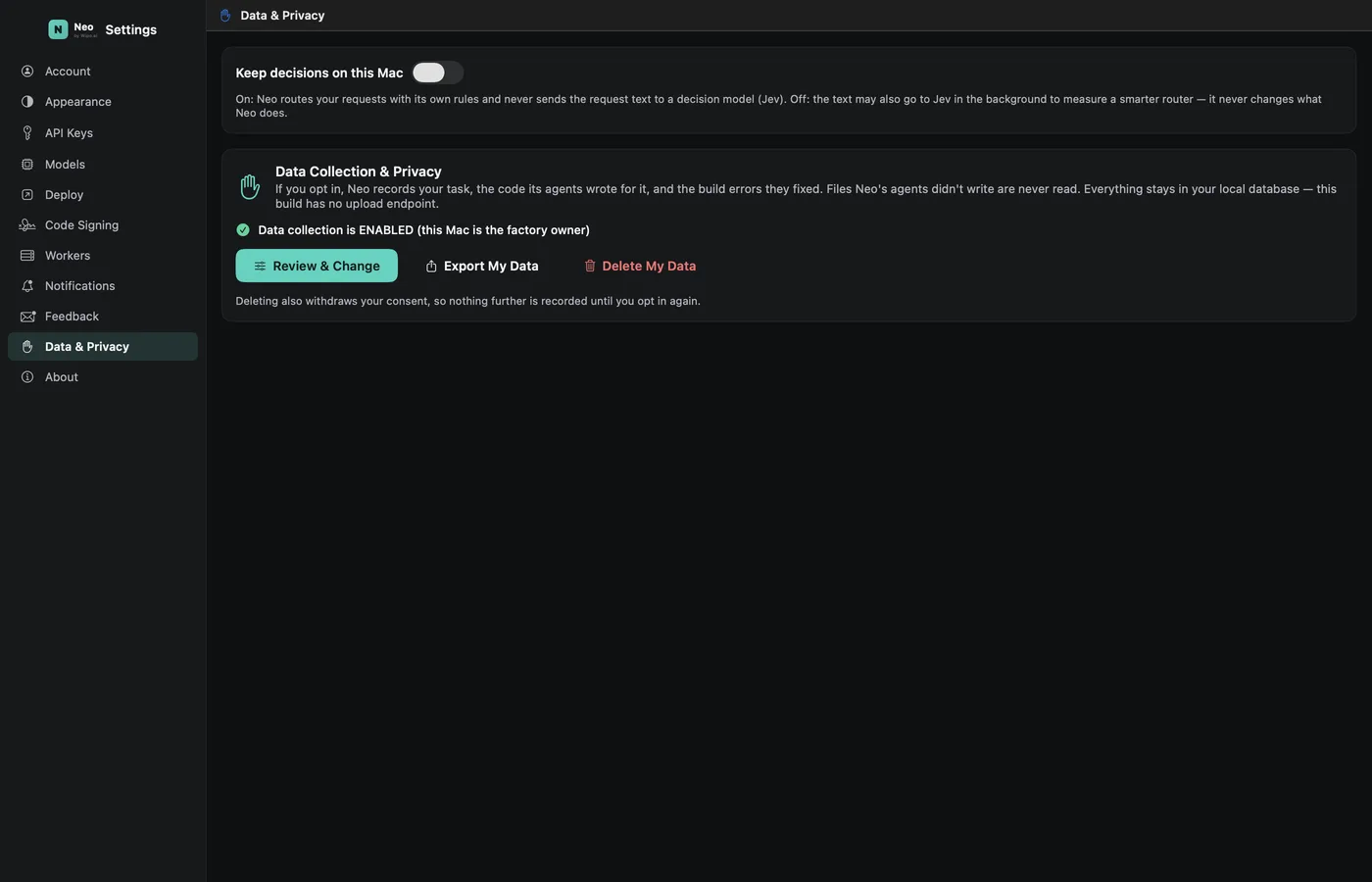
Decisions on your computer
One switch keeps every routing decision on your machine.
Costs and logs
What was spent, on what, and what happened.
Plain words in the one chat.
You never pick the module. Neo reads the request, picks Settings and system, and says why.
What you hold when it is done.
- Connections set up step by step
- Your keys out of the agents' reach
- Costs and logs you can read
Anything that spends money, publishes or deletes stops and asks you first, with the price on the button.