Describe it. Neo builds it, ships it, and markets it.
An AI team on your Mac that turns a plain-language idea into an iPhone, Mac, Android or web app — or a Godot, Unity or Unreal game — then writes the store listing, runs the launch, and reads your sales reports every morning.
From idea to a product that earns
Other tools stop at step two. Neo does all five.
Describe
One sentence in plain language. If it is a game, Neo answers with concept art before it asks a single question.
Build & fix
A team of specialised AI roles designs, codes and tests. Builds that fail are fixed by the team itself, up to eight passes, before you see them.
Ship
TestFlight and the App Store, Google Play, Vercel, or a Steam-ready export — games go to PC, phones or the browser from the same project — with the icons, legal pages and screenshots the store requires.
Market
Store listing checked against review rules, promotional clips, social posts and a campaign plan — written from your product, not a template.
Watch
Every morning Neo reads your sales, reviews and crash reports and tells you what changed and why. Anomalies are flagged the same day.
See it work
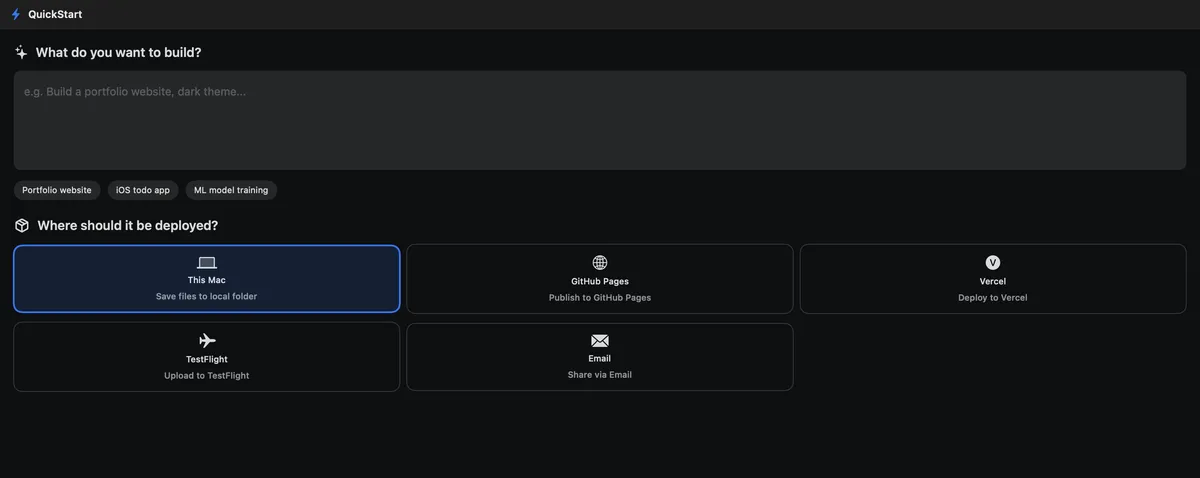
Real screens from the product, not mockups. One chat drives every module; you watch the team and approve the money.
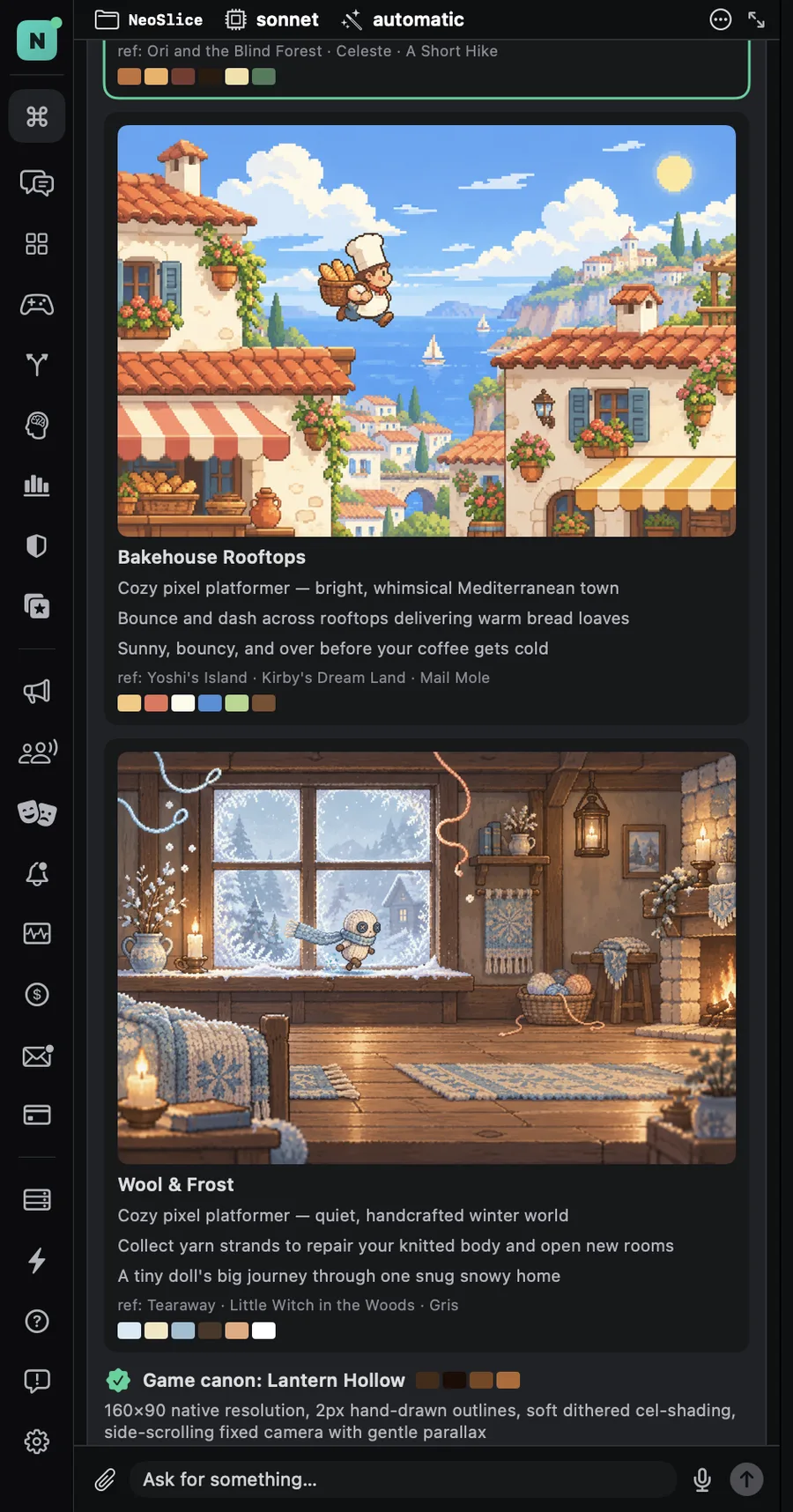
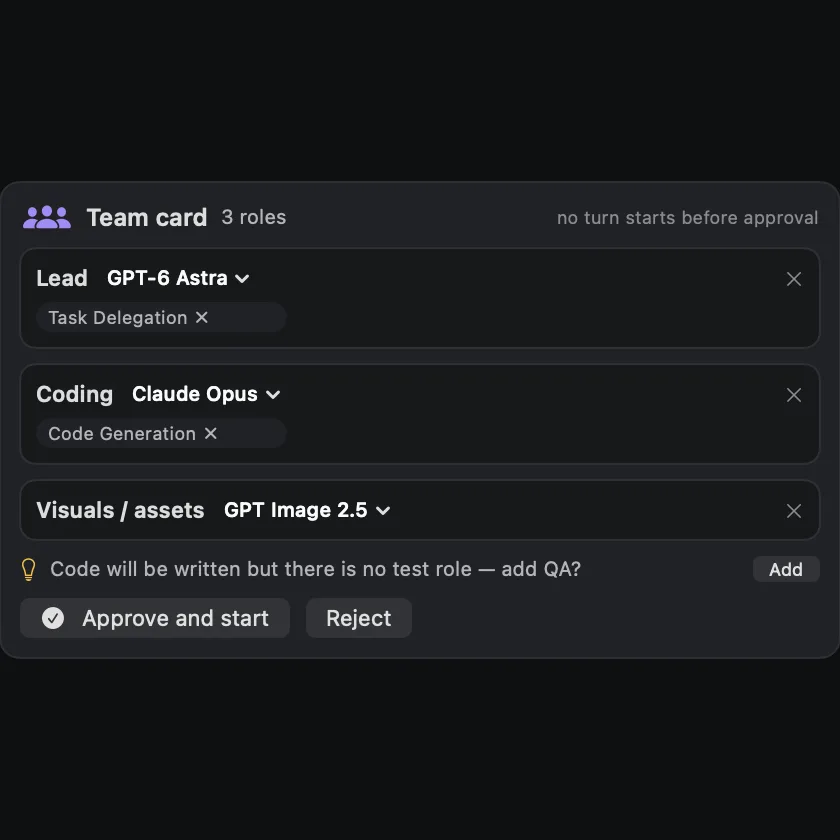
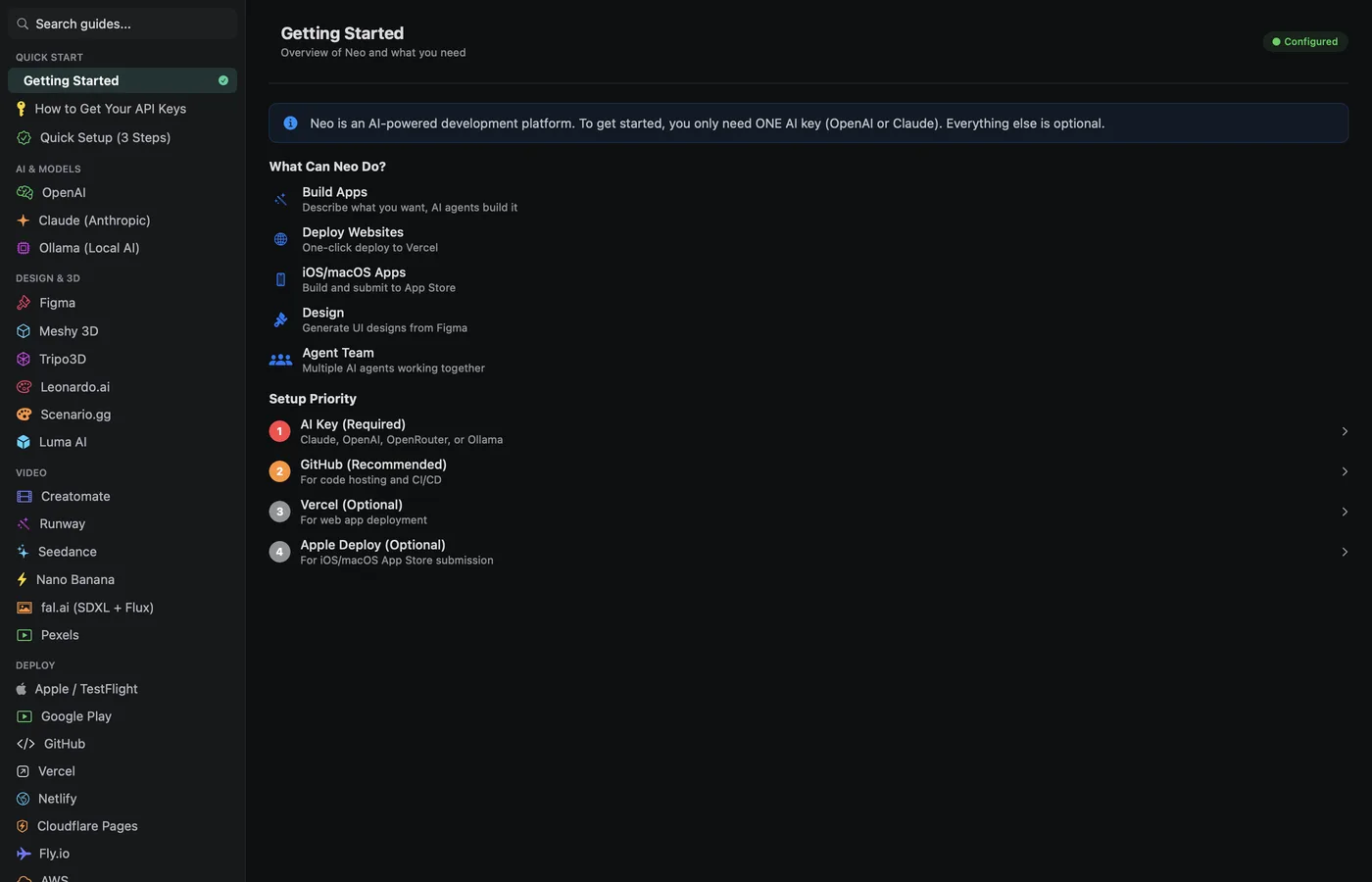
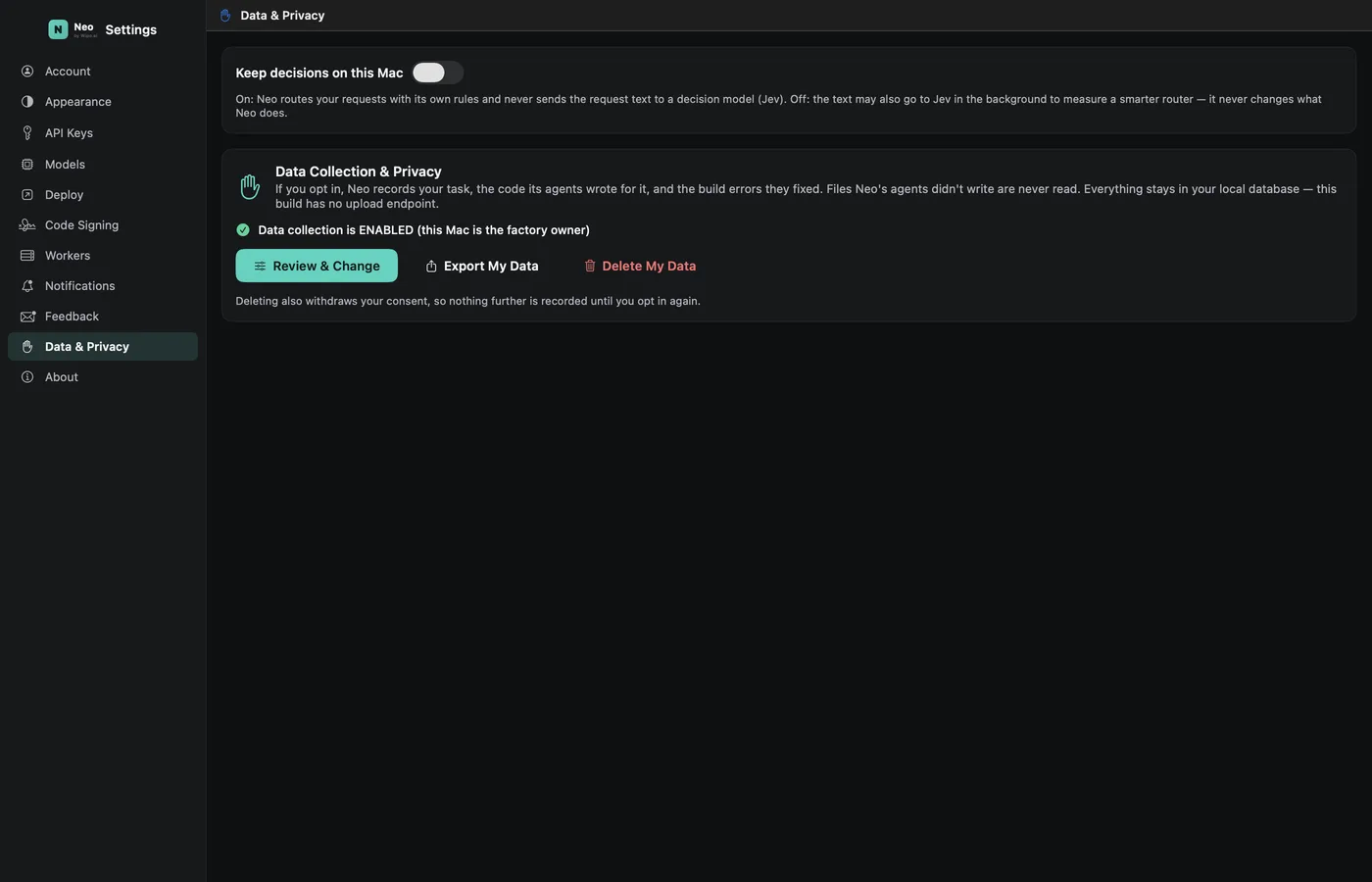
One chat drives the whole studio
You never pick a module. Neo reads the request, picks the right one, and says why. When it is unsure, it asks instead of guessing.
From zero to a product that runs itself
Coding is step two of eight. Here is the whole road an app or a game travels inside Neo — what happens, which modules work, what you approve, and what you hold at the end of each step.
Idea → brief
You describe the product in one message. Neo researches the market and the competitors, drafts a short product brief, and — for a game — paints three concepts and locks the one you pick as the visual canon.
Design & build
A team card proposes the roles — lead, designer, developer, backend, artist — and the model each one runs on. On approval the team builds: screens and design tokens, code, database and security rules, sprites and tiles for games.
Test & self-repair
Every build is compiled and run. Failures are fixed by the team itself, up to eight passes, before you see them. Games are checked in the running game — a trap that should deal 30 damage is measured, not assumed.
Ship
Icons, legal pages, screenshots and the store listing are produced, and the listing is checked against the store’s review rules before submission. Then TestFlight and the App Store, Google Play, Vercel, or a Steam-ready export.
Launch marketing
From the product itself, not a template: launch clips in 9:16 and 16:9, social posts for each channel, a press kit, a campaign plan with dates. A synthetic influencer can present the product in consistent portraits and talking video.
Run & grow
Push and e-mail campaigns to the users you already have, new ad creatives from what worked, social content on a rhythm. The same approvals apply: nothing is sent without your yes.
Watch
Neo reads your sales, downloads, reviews and crash reports from the stores and your analytics, writes a short human-readable summary, and flags anomalies the same day — to your inbox, e-mail or Telegram.
Strategy & the next version
What the numbers say becomes the plan: features to build, listing changes to test, campaigns to repeat or stop. Lessons from every build and launch become rules the team checks next time — the tenth product ships faster than the first.
What you can build
From a phone app to a Steam game. If you can describe it, the team can build it — and tell you honestly where it is still in beta.
iPhone & Mac apps
SwiftUI · UIKit · AppKitNative apps with subscriptions, push notifications and App Store submission — three are on the App Store today.
Web apps & sites
Next.js · React · Vue · Svelte · AstroFull-stack web apps with auth, payments and real-time features; one click to Vercel or Netlify.
Android apps
Compose · Flutter · Expo — betaNative or cross-platform Android builds with Google Play publishing. In beta: builds work, publishing is being proven.
Games
Godot · Unity · Unreal · SpriteKit2D and 3D games from concept art to a playable level; with Godot, Neo edits the scene live. Released for Steam, phones or the browser.
APIs & backends
FastAPI · Express · Django · Go · SupabaseREST/GraphQL APIs with auth, rate limits and docs; databases with security rules; deployed where you host.
AI features & bots
Python · model APIs · local modelsAssistants, chat features, pipelines and bots built into your product — using cloud models or ones that run on your Mac.
From “I want to make a game” to a level you can play
Say the sentence and Neo answers with concept art. Pick one and it becomes the project’s canon — every sprite, tile and scene after that matches it. The game is built in Godot, Unity or Unreal — with Godot, Neo edits the scene live while you watch — and is released for Steam and PC, iPhone and Android, or the browser.


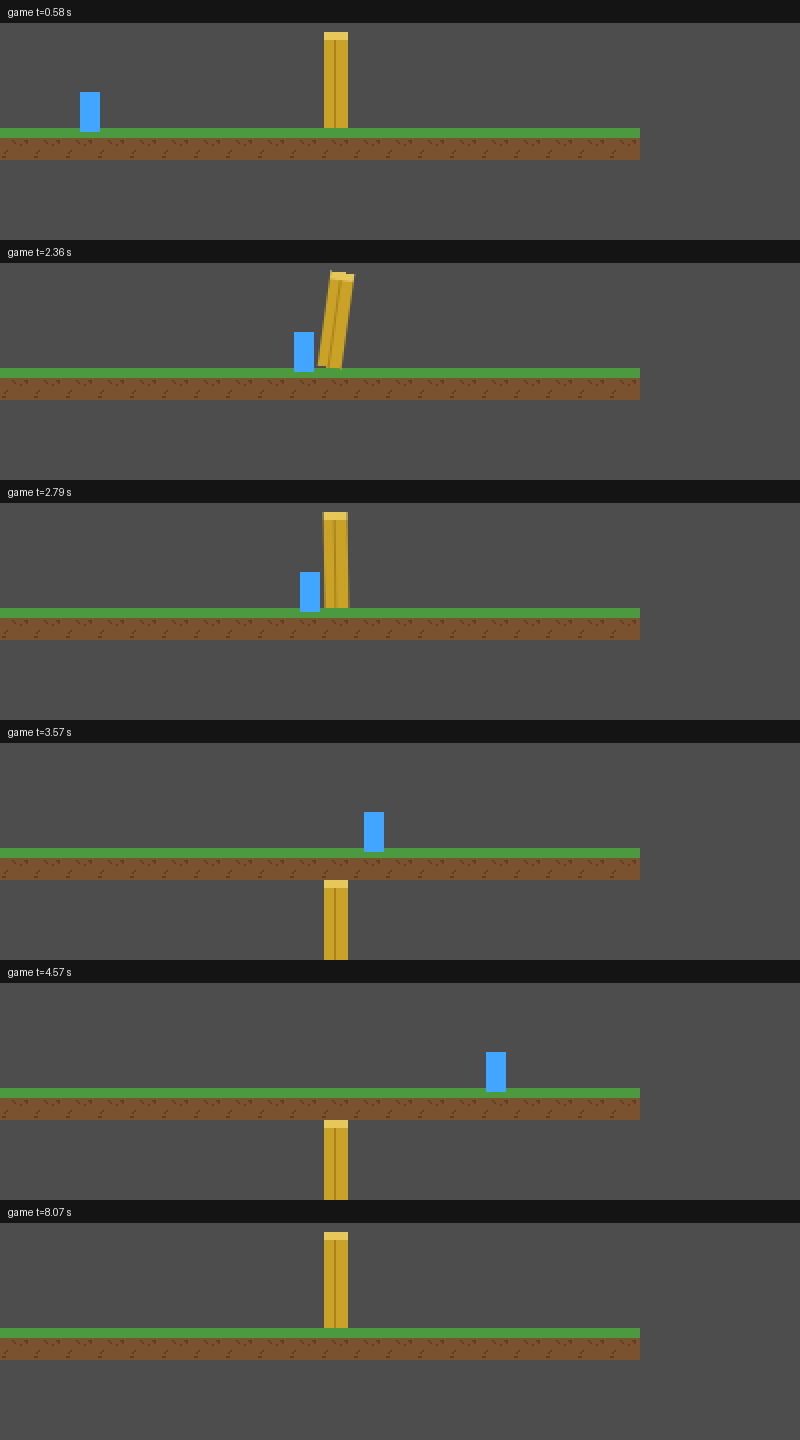
Games in progress
Early development, shown as it is: grey boxes, debug overlays and all.
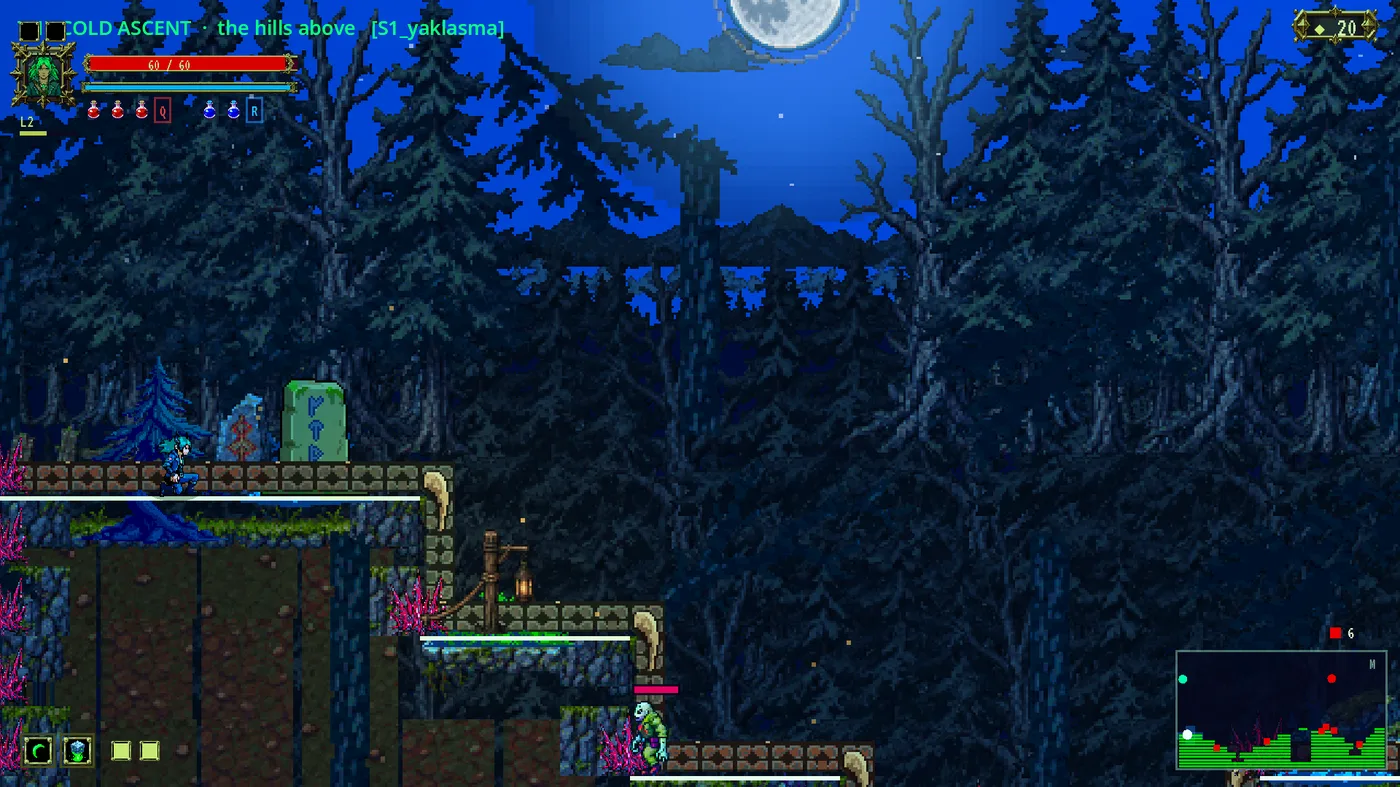
A 2D pixel action-platformer built through Neo’s game module and lane workflow. Next Fest is the target.
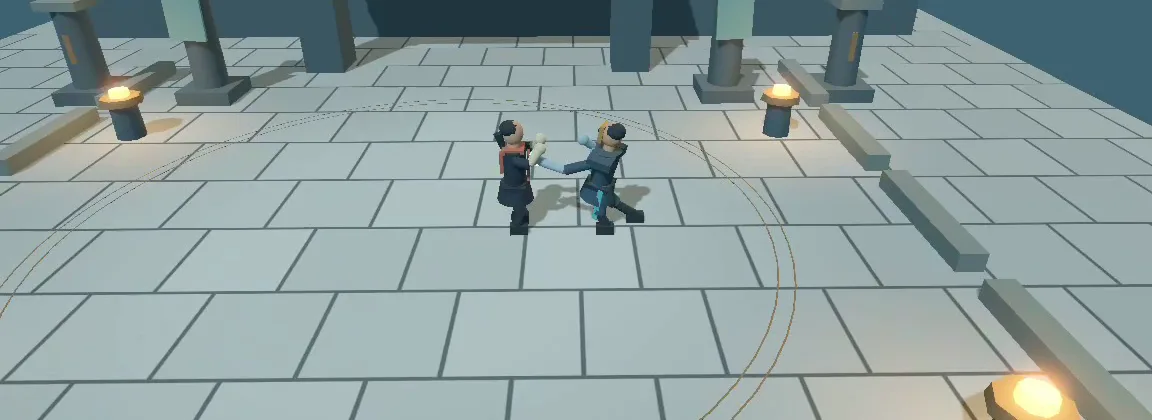

A 3D duel built in Godot with an AI lead and an AI builder: parries, counters, combos and stagger, each verified in the running game. Grey-box art, real mechanics.
The concept chosen on a Neo card became this project’s canon; the hero sprite was made from it in one turn.
What only Neo does
Everyone else sells the moment code appears on screen. Neo’s job ends when your product is in customers’ hands.
The finish line is the store
Other tools stop when the code compiles. Neo stops when your app is in the App Store, on Google Play, online, or exported for Steam — icons, legal pages and screenshots included.
It keeps working after launch
A marketing team writes and rule-checks the listing, makes launch clips and posts, plans campaigns. An account manager reads your daily reports and flags what changed.
Apps and games from one tool
Concept art → locked visual style → matching sprites and tiles → the game built in Godot, Unity or Unreal (live in the editor with Godot) → released on Steam, phones or the browser.
You hold the wallet
Any step that spends money, publishes something or deletes something stops and asks you first — with the price on the button. Estimates come from real measured calls.
Your Mac, your accounts
Code and data stay on your computer. Plug in the Claude or ChatGPT/Codex subscriptions you already pay for, and heavy use doesn’t cost you twice.
It learns from every build
What went wrong and how it was fixed becomes a rule the team checks next time. The tenth app ships faster and cleaner than the first.
An honest comparison
Checked against each product’s own documentation in September 2026. These are good tools — they just stop earlier.
| Neo | Lovable | Bolt.new | Replit | Cursor / Claude Code | Superapp | Rosebud AI | |
|---|---|---|---|---|---|---|---|
| Web apps | ✓ | ✓ | ✓ | ✓ | You code | — | — |
| Native iPhone / Mac apps (Swift) | ✓ | — | Expo, code only | Expo | You code | ✓ | — |
| Android apps | Beta | — | Expo, code only | Expo, no Play publish | You code | — | — |
| Games in a real engine (Godot, Unity, Unreal) → Steam, phones, web | ✓ | — | — | — | You code | Partial | Browser only |
| Submits to the App Store for you | ✓ | — | — | Guided | — | ✓ | — |
| Store listing checked against review rules | ✓ | — | — | — | — | ✓ | — |
| Launch clips, social posts, campaign plan | ✓ | — | — | — | — | Partial | — |
| Reads your daily sales & crash reports | ✓ | — | — | — | — | — | — |
| Price shown before every paid step | ✓ | — | — | — | — | — | — |
| Runs on your Mac, uses your own AI subscriptions | ✓ | — | — | — | Yes (BYOK) | Mac app | — |
| Watch the team work, role by role | ✓ | — | — | — | — | — | — |
vs Lovable
The fastest way to a web app with a database. Its output is a website or a PWA; getting into the App Store needs a third-party wrapper.
Neo builds the native iPhone/Mac app itself and submits it.
vs Bolt.new & Replit
Web apps plus cross-platform mobile through Expo. Bolt hands you the code (no signed build); Replit walks you through submission, iOS only.
Neo builds native Swift apps, handles the store, and keeps working after launch.
vs Cursor / Claude Code
Superb tools — for developers. They will do anything you know how to ask for, line by line.
Neo is for the person who wants the product. It also uses those same models under the hood.
vs Superapp
The closest competitor: native Swift apps and automated App Store submission, with ASO tools.
Neo adds games in a real engine (Godot, Unity, Unreal), web and macOS, cost approval on every step, your own AI accounts, and post-launch reporting.
vs Rosebud AI
Make a game by chatting — and it runs in the browser. No native export, no engine project you own.
Neo builds in Godot, Unity or Unreal: you own the project and release to Steam, phones or the web.
“Expo” = cross-platform React Native, not native Swift. Something changed? Tell us and we’ll correct the table.
Build anywhere. Deploy everywhere.
The team uses the services you already have an account with. Nothing is published to them without your approval on screen.
Build for
Deploy & publish to
Backend, database & payments
AI models & asset providers
The same team, from the terminal
Neo is a Mac app, but every action is also a command. Script it, put it in CI, or drive it from your phone.
Mac app
The one chat, the office, the cards, the Godot canvas. Runs the orchestrator on your machine; your code never leaves it unless you publish.
Go CLI
Every module as a command with --json output: start a turn, approve a step, check readiness, read a report. Uses the same bearer token as the app.
Phone control
Voice console: talk to your running sessions from the iOS app, get spoken replies, approve steps on the go.
Your devices become the studio’s computers
Neo’s orchestrator runs on your Mac. Heavy work — local models, builds, batches of assets — can be handed to other machines you own: a second Mac, a Linux box, a cloud GPU, even an iPhone running the Neo app in worker mode. Each one takes tasks over a private connection and returns results; nothing is exposed to the internet.
What it means for you: a small studio can run big local models without renting servers, and the cost of AI generation drops to electricity for the jobs that fit on your own hardware.
Status: the iOS worker mode and the mesh exist and are tested in-house. They ship after the macOS beta, so the panel in the app says “coming soon” today. We only list it because it is real.
Built with Neo
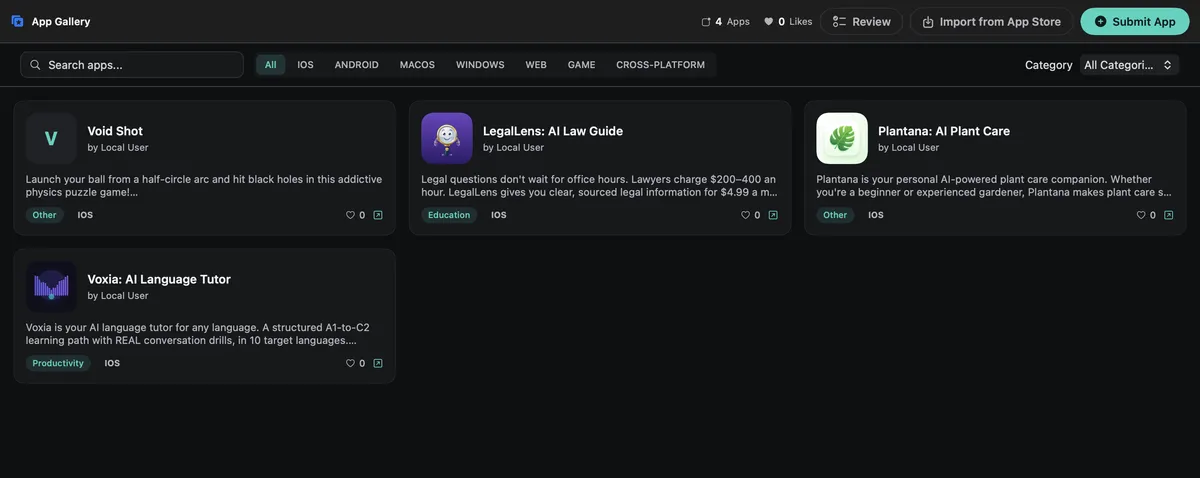
Products designed, built, published and marketed through Neo. We use it every day to ship our own.
On the App Store


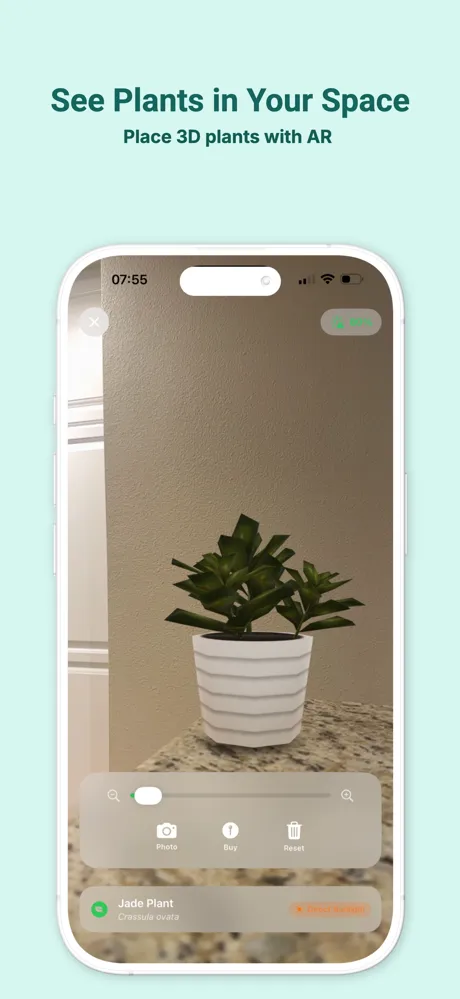
AI plant care — identify, diagnose, get reminders.

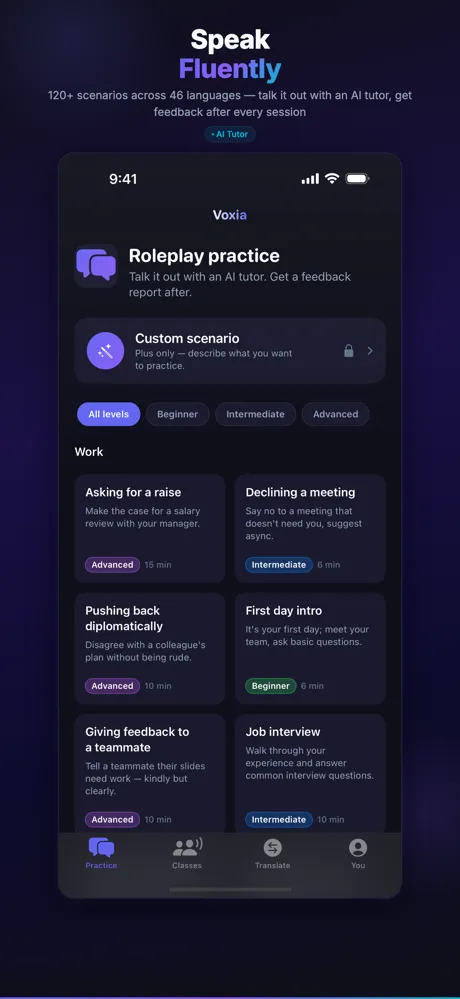
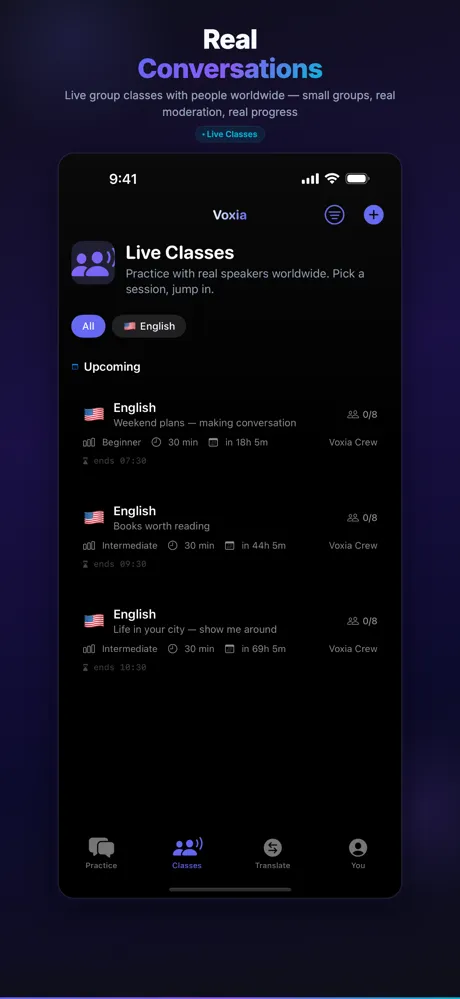
AI language tutor with real-time speech.



Plain-language guide to legal documents.
Websites

A coffee shop’s site, prompt to Vercel.
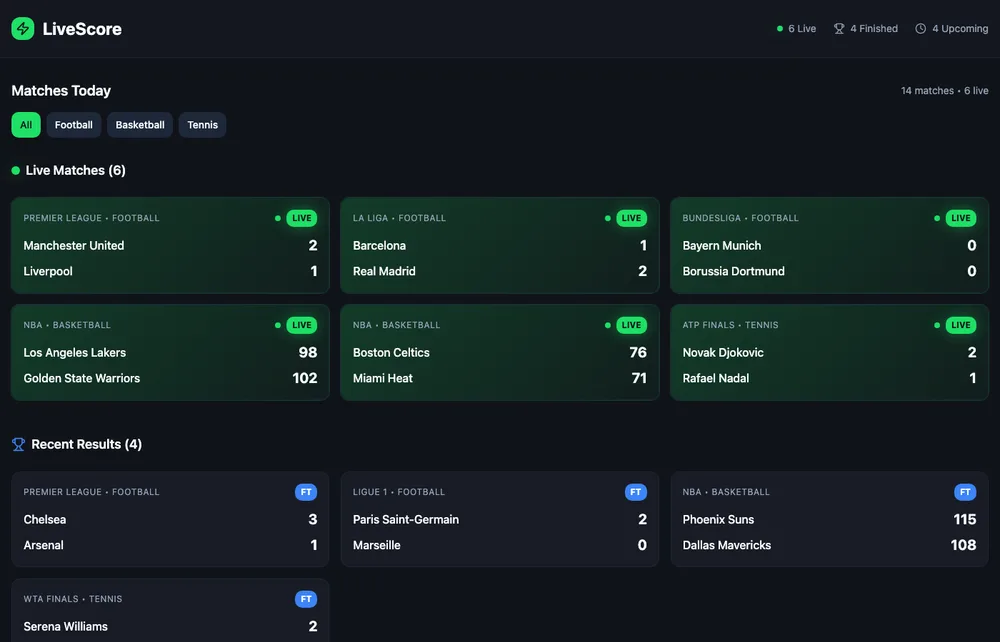
Live scores and results.

A holiday villa with booking.
This site, neotheapp.com, was built and deployed by Neo as well. Games in progress are shown in the Games section.
Join the beta
Neo is in an invited beta on macOS. Leave your email and we’ll send an invitation as seats open.
No spam. Unsubscribe anytime.